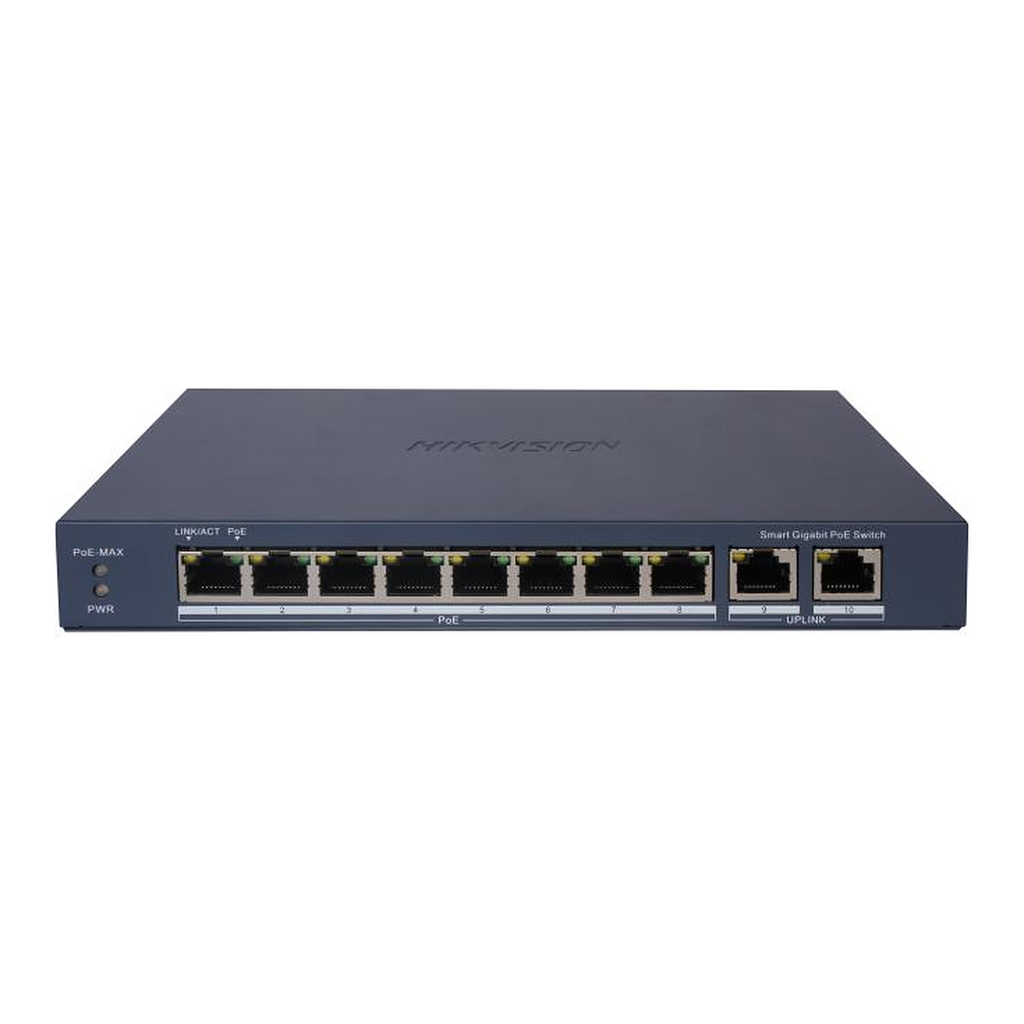
8-port 10/100/1000Base-T Unmanaged Metal Desktop Gigabit Switch (EU Plug)
Caractéristiques techniques
Extrait de la fiche technique du fabricant (PDF joint, Fiche technique DS-3E1510P-EI.pdf).
| DS-3E1510P -EI |
| 8 Port Gigabit Smart P oE Switch |
| Smart managed switches are developed by Hikvision, featuring easy management and maintenance. You can easily deploy, |
| monitor and expand your surveillance system anytime and anywhere with our software platforms. You can view the network |
| topology, monitor the health of the network and receive device alarms in real time, which greatly reduces the cost of |
| network operation and maintenance . |
| 8 × Gigabit PoE port,2 × Gigabit RJ45 port |
| Total PoE Power Budget 110 W |
| Support 802.1Q VLAN |
| Support PoE watchdog to detect and restart the cameras that do not respond |
| Support STP/RSTP loop prevention |
| Support cable detection to locate failure |
| Up to 300 m Long Range PoE Transmission |
| 6 kV Surge Protection |
| Specification |
| General |
| Dimensions (W × H × D) 217.6 mm × 27.6 mm × 108.5 mm (8.57'' × 1.09'' × 4.27'') |
| Storage Temperature -40 ° C to 85 ° C ( -40 ° F to 185 ° F) |
| Installation Mode Desk -Mounted,Wall -Mounted |
| Gross Weight 1.27 kg (2.8 lb) |
| Net Weight 0.54 kg (1.19 lb) |
| Power Consumption in Idle 2.7 W |
| Shell Metal material |
| Operating Temperature 0 ° C to 40 ° C (32 ° F to 104 ° F) |
| Operating Humidity 5% to 95% (no condensation) |
| Power Supply 54 V DC, 2.22 A |
| Max. Power Consumption 120 W |
| Relative Humidity 5% to 95% (no condensation) |
| Surge Protection 6 kV |
| Network Parameters |
| Ports 8 × Gigabit PoE port,2 × Gigabit RJ45 port |
| MAC Address Table 4 K |
| Switching Capacity 20 Gbps |
| Packet Forwarding Rate 14.88 Mpps |
| Internal Cache 1.5 Mbits |
| Software Function |
| Long Range Ports 1 to 8: up to 300 m. |
| Long range performance may vary depend on camera model or cable condition. |
| Port Isolation Ports 1 to 8: port isolation mode to improve network security |
| Ports in an isolation group cannot communicate with each other, but they can |
| communicate with ports outside the i solation group. |
| PoE Watchdog Ports 1 to 8: auto detect and restart the cameras that do not respond. |
| Link Aggregation Link aggregation is used to aggregate multiple physical ports to form a logical port for |
| load balancing, bandwidth expansion, and port p rotection. |
| Support static link aggregation. |
| Support 3 aggregation groups. |
| Loop Prevention Loop prevention is used to prevent the switching network from forming loops, which |
| will seriously affect network communication. Disabled by default. |
| Support 802.1D STP. |
| Supp ort 802.1w RSTP. |
| VLAN VLAN is used for network scale planning and network health improvement. |
| Support 802.1Q. |
| Configurable VLAN ID from 1 -4094. |
| Support Trunk, Access port mode. |
| Support Max. 32 VLAN. |
| HPP Support one -click activation and remote m anagement via Hik -Partner Pro. Functions |
| supported: |
| 1. Display the port rate. |
| 2. Display the port bandwidth utilization rate. |
| 3. Display the PoE power usage. |
| 4. Display topology information. |
| 5. Display the alarm status. |
| 6. Restart ports and devices. |
| 7. Ena ble port long -rage mode. |
| 8. Remotely upgrade the device. |
| System Maintenance Support device management via web. |
| Support DHCP Client. Enabled by default for dynamic assignment of management IP |
| addresses. |
| Support Super IP, which is a fixed IP address (10.180 .190.200) for direct access. |
| Support management via Hik -Central Pro. |
| Support remote management via Hik -Partner Pro. |
| Support cable detection. Abnormal open circuits and short circuits as well as network |
| cable length can be detected. |
| Support 802.1ab LLDP fo r peer device discovery. |
| Support port mirroring for fault locating. |
| PoE Power Supply |
| PoE Standard IEEE 802.3af,IEEE 802.3at |
| PoE Power Pin End-span: 1/2( -), 3/6(+) |
| PoE Port PoE: Ports 1 to 8 |
| Max. Port Power 30 W |
| PoE Power Budget 110 W |
| Approval |
| EMC CE-EMC (EN 55032: 2015+A11: 2020, EN IEC 61000 -3-2: 2019, EN 61000 -3-3: 2013+A1: |
| 2019, EN 50130 -4: 2011+A1: 2014, EN 55035: 2017+A11: 2020) |
| Safety CB (AMD1:2009, AMD2:2013, IEC 62368 -1: 2014 (Second Edition), CE -LVD (EN 62368 - |
| 1: 2014+A11: 2017) |
| Chemistry CE-RoHS (2011/65/EU),WEEE (2012/19/EU),Reach (Regulation (EC) No.1907/2006) |
| Typical Application |
| Physical Interface |
| Front Panel |
| Rear Panel |
| No. Indicator/Port Indicator/Port |
| ① Indicator/Port Solid on: The switch is powered on normally. |
| Unlit: No power supply is connected or power supply is abnormal. |
| ② PoE-MAX |
| Indicator Solid on/Flashing: The output power of the switch is about to reach or has reached the |
| upper limit. The power supply may be abnormal if more devices are connected. |
| Unlit: The switch does not supply power to a powered device (PD), or supplies power to a |
| PD normally and its output power does not reach the upper limit. (About 5 seconds after |
| the output power of the switch returns to normal, the PoE -MAX indicator will be unlit. ) |
| ③ LINK/ACT |
| Indicator Solid on: The port is connected. |
| Flashing: The port is transmi tting data. |
| Unlit: The port is disconnected or connection is abnormal. |
| ④ PoE Indicator Solid on: The switch supplies power to a PD normally. |
| Unlit: The switch is disconnected from a PD or power supply is abnormal. |
| ⑤ Gigabit PoE RJ45 |
| Port Used for connect ion to a PD via a network cable. |
| ⑥ Gigabit RJ45 |
| Port Used for connection to another device via a network cable. |
| ⑦ Reset Button Used for restoring all the configurations of the switch to the default settings. |
| ⑧ Grounding |
| Terminal Used for connection to the grounding cable to protect the switch from lightning. |
| ⑨ Power Supply Use the attached power cord and power adapter to connect the switch to a socket. |
| Dimension |
- Livraison Aramex partout en Tunisie : 8,000 DT TTC par commande.
- Retrait gratuit au 26 rue Chedly Kallala, Lafayette, Tunis.
- Paiement à la livraison ou par virement bancaire.
- Installation par nos techniciens sur demande (devis).
- Retour possible sous 10 jours ouvrables : voir nos conditions générales de vente.
Spécifications
| Alimentation PoE | Oui |
| Marque | Hikvision |
| Capacité de commutation | 20 Gbit/s |
| Budget PoE | 110 W |
| Ports PoE | 8 |
| Nombre de ports | 8 ports |
| Gigabit | Oui |
| Gestion du switch | Smart (web) |